
Free on WordPress.org
RewardCrate
Cart Goals & Rewards Booster for WooCommerce
Show shoppers how close they are to free shipping, a free gift or a discount, suggest the products that close the gap, and apply the reward by itself. In classic and block carts alike.
Version 1.3.3 · Tested with WooCommerce 11.2 · WordPress 6.4+ · PHP 7.4+ · GPLv2+
// For the shopper
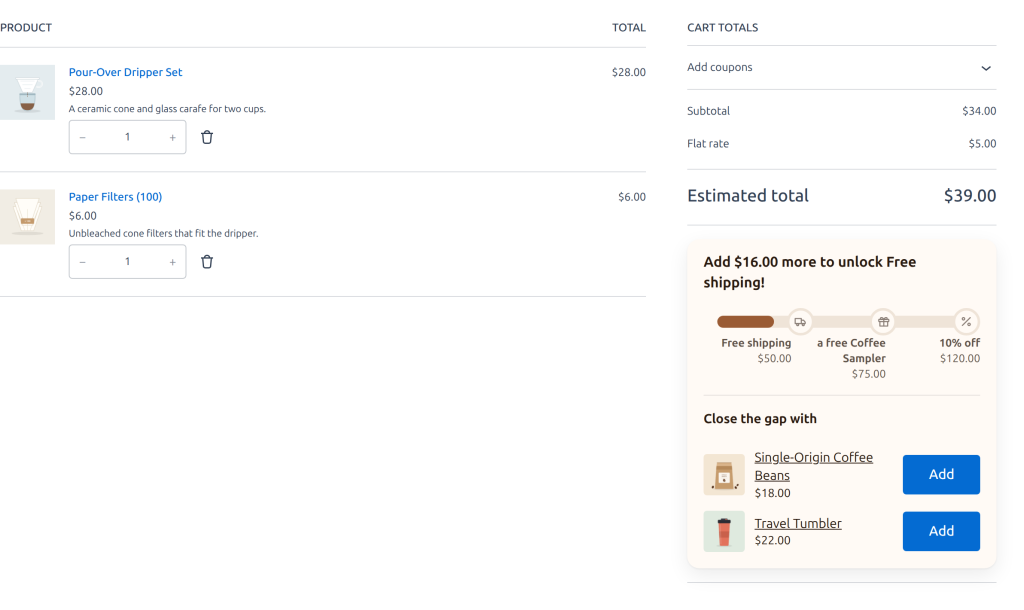
What shoppers see
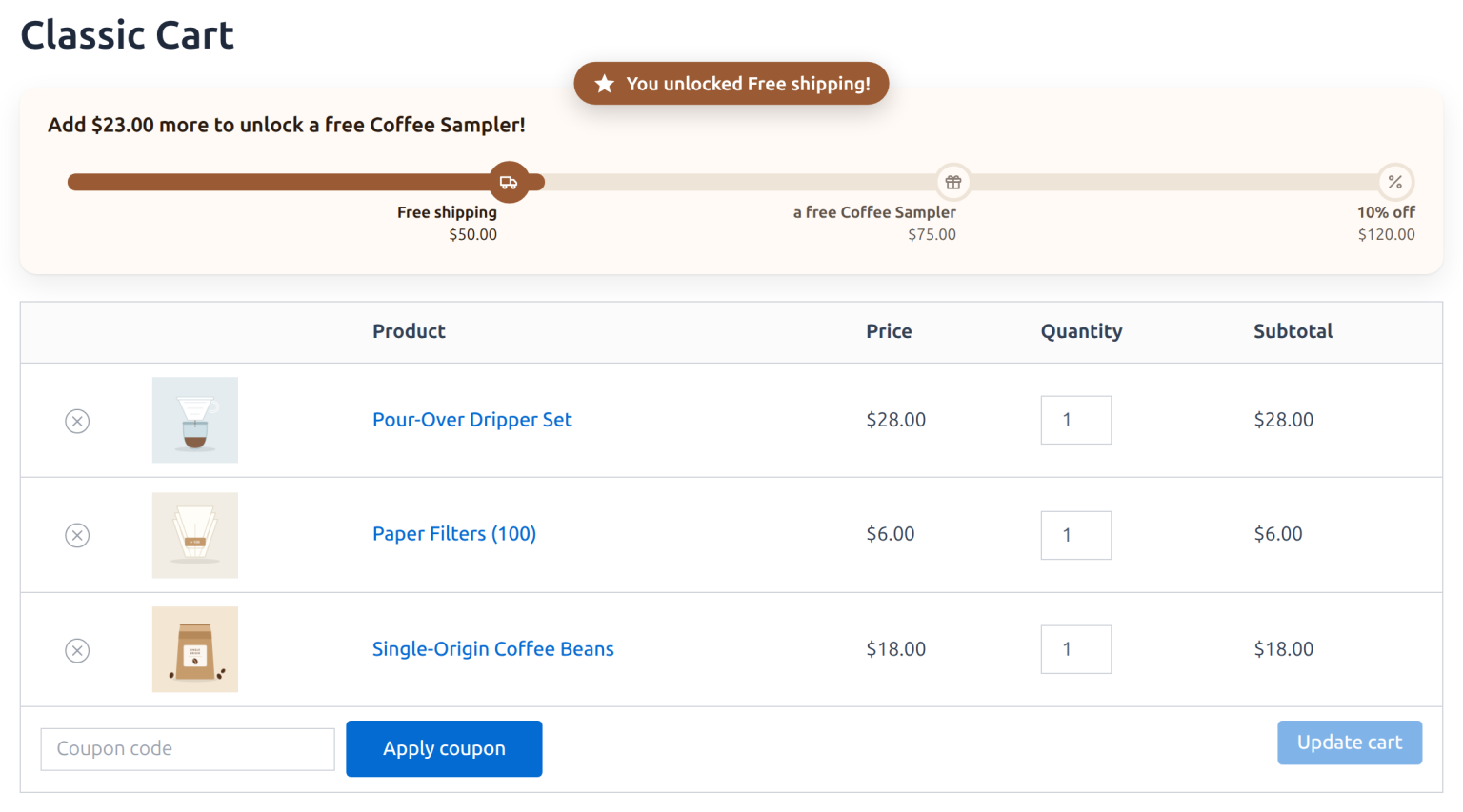
One bar that shows the next reward, the products that reach it, and what the cart has already earned.
// Measured before discounts
A reward never takes itself back
Goals are measured on the cart subtotal before discounts and without the gift line, so reaching 10% off can never drop the cart back under 10% off.
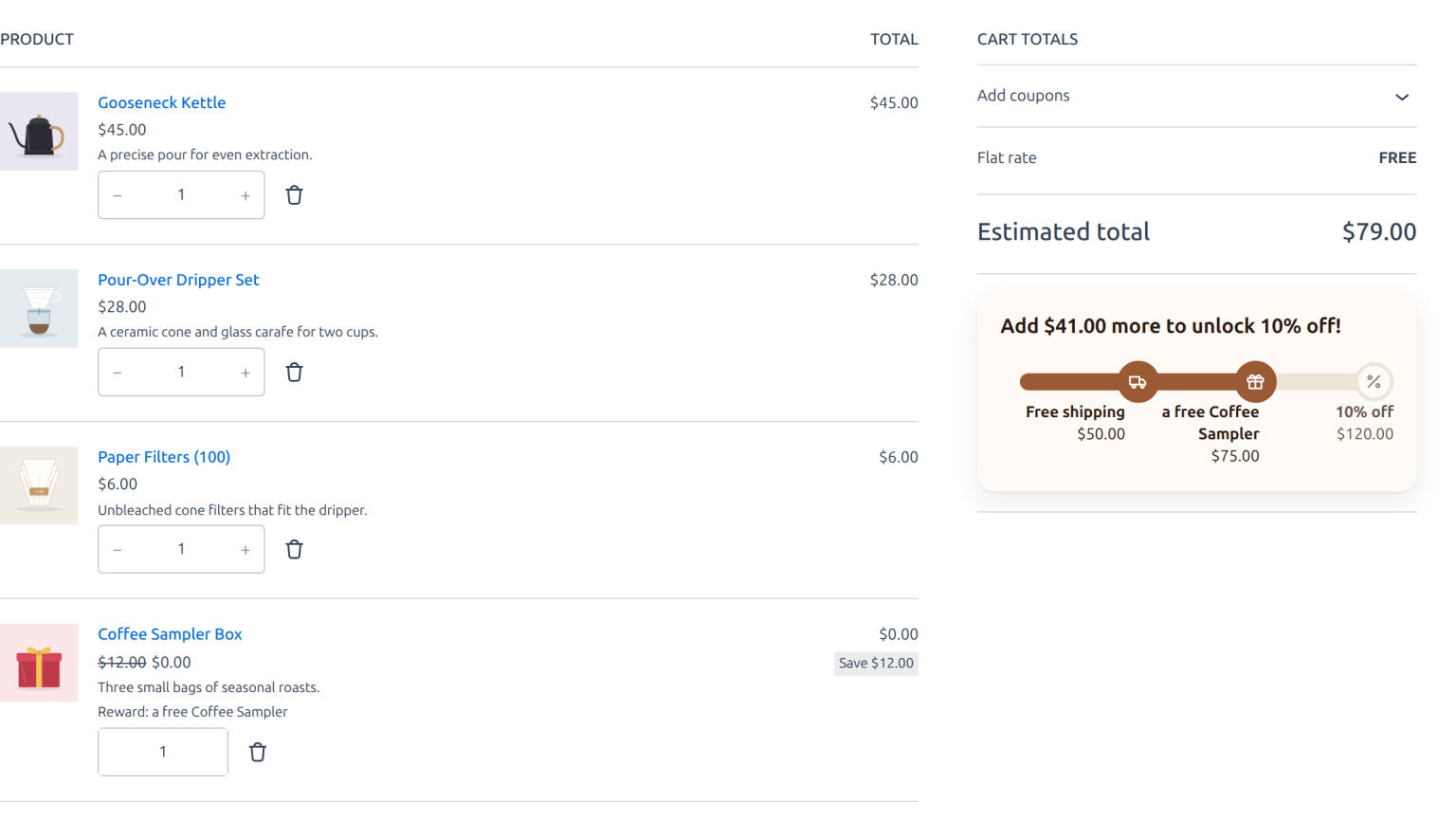
Free shipping at $50, a $12 gift at $75 and 10% off at $120 each unlock once, and stay unlocked while the cart stays above them.
For the shop owner
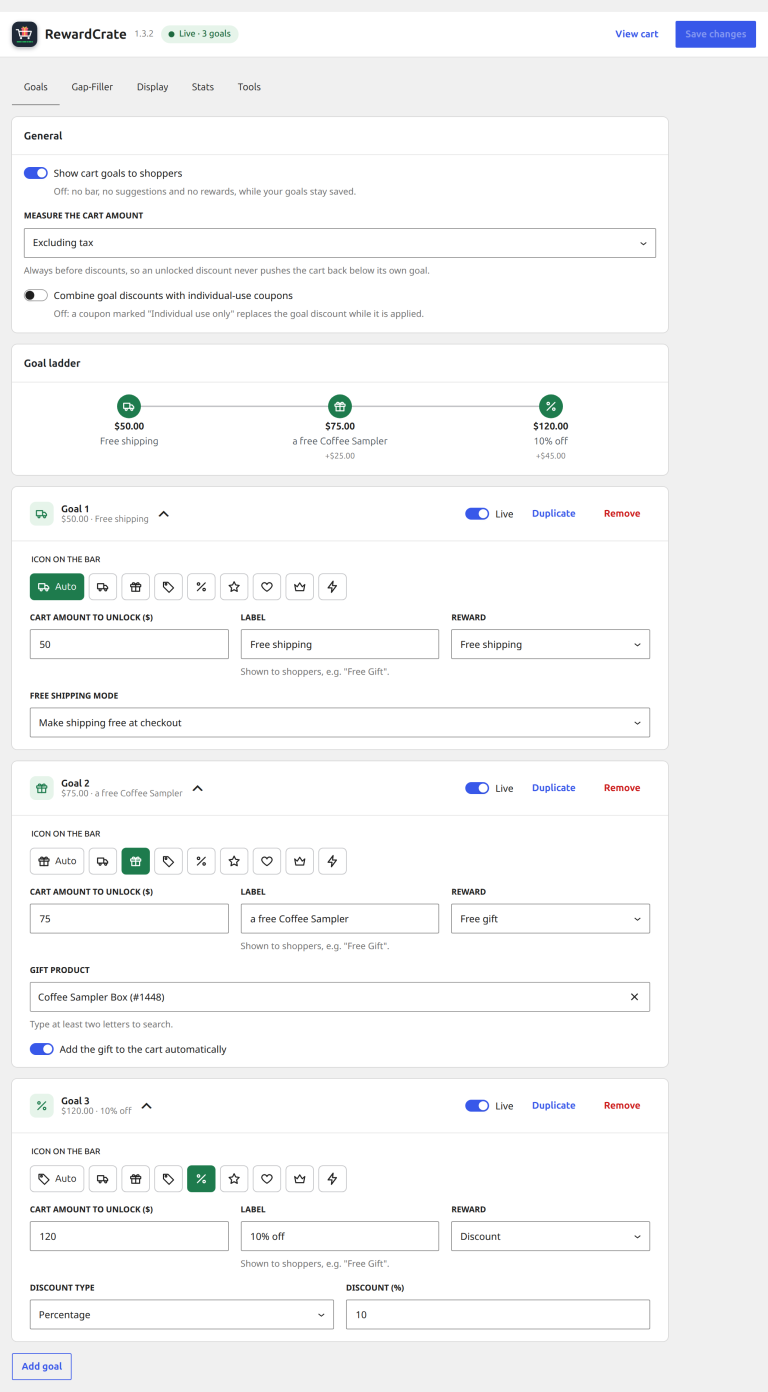
Set your goals in a minute
Open WooCommerce › RewardCrate and add a goal: the cart amount, a label and the reward, whether free shipping, a gift product or a discount. Add as many goals as you like.
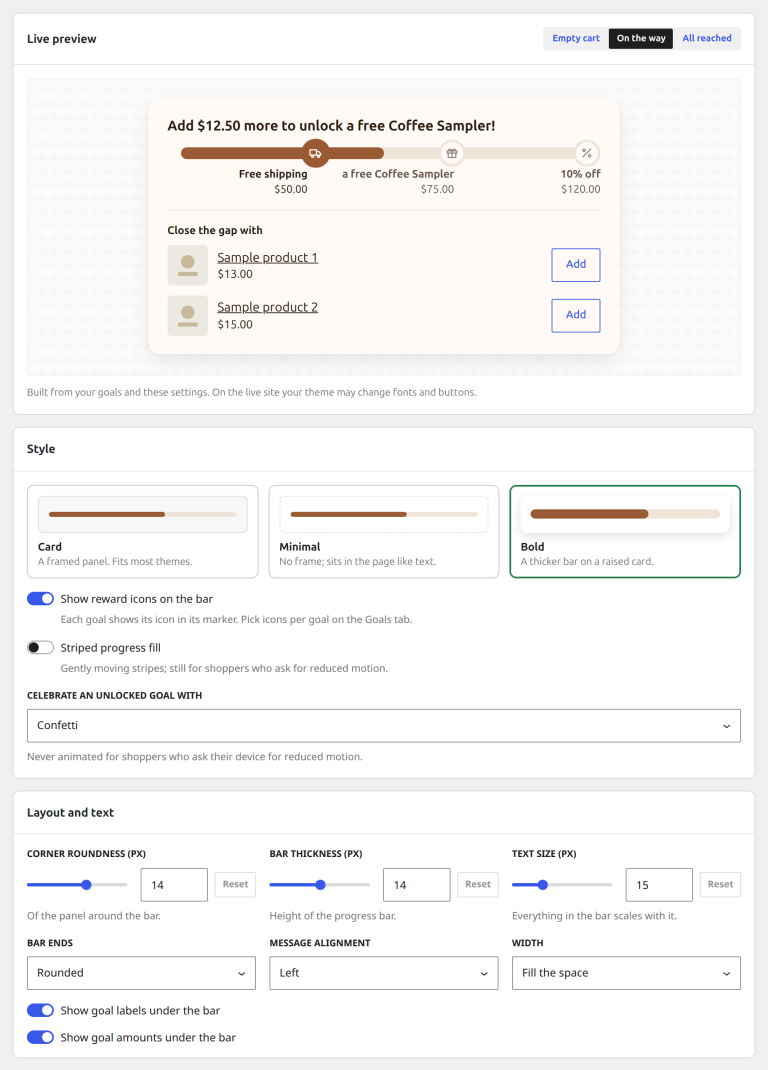
The Display tab picks the placements, colours, celebration and messages, with a live preview of the bar.
Suggestions follow your rules too: pin products, exclude products or categories, and set how far above the gap a suggestion may be priced.
Make it yours
Make it look like your store
Pick a style, Card, Minimal or Bold, then one of eight colour palettes, or set every colour yourself. The Display tab previews the real bar as you change it, and warns you when text would be hard to read.
Show the first goal on product pages, above Add to cart, so shoppers know it before they add anything.
Give each goal its own icon, add gently moving stripes, choose rounded or square bar ends or a narrow centred bar, and set the corner roundness, bar thickness and text size. The sticky bar can sit at the top of the page or the bottom of the screen, show on every screen size or only on desktops or phones, wait a few seconds, and stay off the pages you pick. Custom CSS covers the rest.
// On your server
It respects the site it is installed on
// Questions
The things people ask first
Does it work with the block cart and checkout?
Yes. The bar shows in the Cart and Checkout blocks, inside the Mini-Cart drawer, and in the classic shortcode cart and checkout.
Does the discount push the cart back below its own goal?
No. Goals are measured before discounts, so an unlocked discount stays unlocked.
Can a shopper remove the free gift?
Yes. It is not added again for that goal during the visit. If the cart drops below the goal and comes back, the gift is offered again.
Does it send data to an external service?
No. It makes no remote requests, and everything runs on your own server.
Can I turn off the sticky bar?
Yes. Untick it on the Display tab. Shoppers can also close it for the rest of their visit.
Is it free?
Yes. Every feature is in the free plugin, with no limits on goals, products or orders.
Give every cart a reason to grow.
Free, GPL licensed, and it runs entirely on your own server.