
Free & open source
SnippetCrate
Add PHP, JavaScript, CSS and HTML to WordPress without editing a single theme file — and without the fear that one typo takes the whole site offline.
WordPress 5.2+ · PHP 7.4+ · GPLv2+
The editor
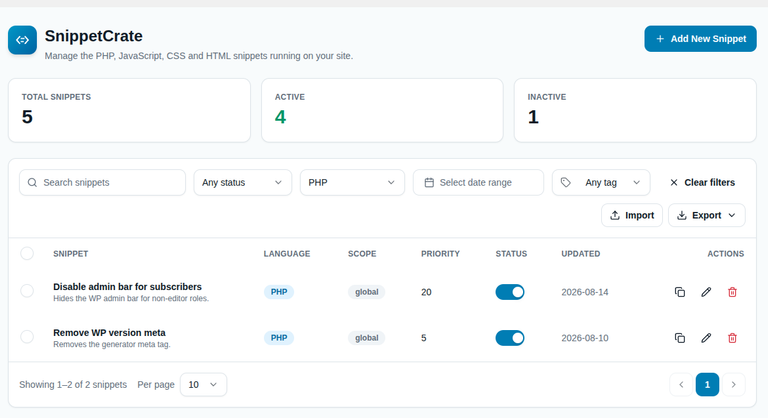
A real editor, not a textarea
Snippets are written in a CodeMirror editor with syntax highlighting and line numbers, so your code actually looks like code.
PHP, JavaScript, CSS and HTML
Live syntax highlighting and line numbers
Language, scope and priority in one panel
// The safety net
Errors caught before they reach your site
Syntax is checked live as you type — PHP on the server, JavaScript in your browser — and code that does not parse cannot be saved.
Being straight about the limit: this contains anything PHP can throw, which is the overwhelming majority of mistakes. It cannot rescue you from a snippet that loops forever or exhausts the memory limit, because PHP cannot catch those.
// Scope
Decide exactly where each snippet runs
Every snippet has a scope, so nothing runs anywhere you did not intend.
At scale
Built to manage more than three snippets
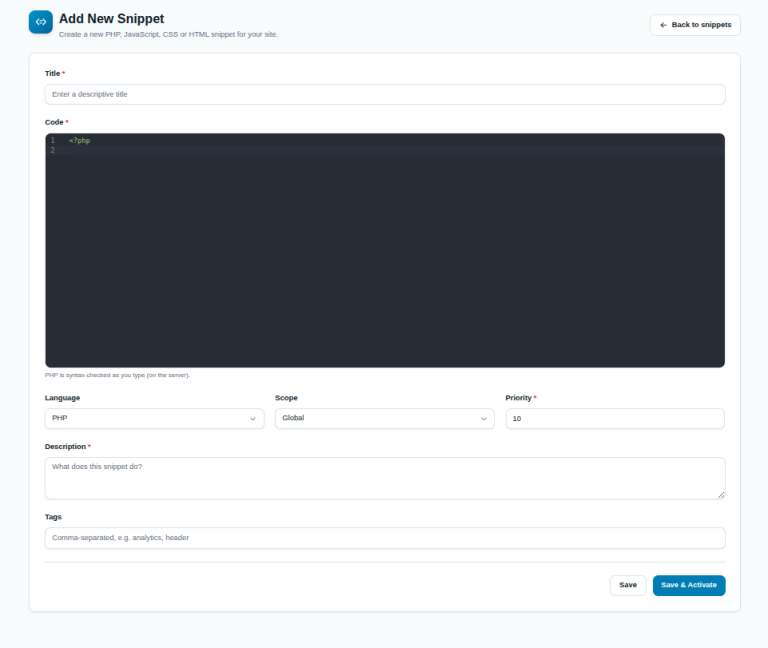
Duplicate any snippet. Filter by status, language, tag or date. Bulk activate, deactivate, export or delete. Import and export your whole library as JSON, or export your PHP snippets to a plain .php file.
Locked to administrators
Every admin screen and every REST endpoint is capability-checked against manage_options and nonce-protected. Nobody below administrator can add, edit or run code.
// Questions
The things people ask first
What happens if my PHP snippet has an error?
It will not save if it does not parse. If an active snippet throws at runtime, the error is caught and the snippet is deactivated automatically, so your site stays up.
Which languages are supported?
PHP, JavaScript, CSS and HTML. Only PHP can use the Global scope; everything else runs in the header, the footer, or via shortcode.
Who can add or run snippets?
Administrators only — users with the manage_options capability.
How do I run a snippet in just one place?
Set its scope to Shortcode and insert the shortcode shown on the edit screen wherever you want it to render.
// Installing
Installing the zip
SnippetCrate is distributed from this site rather than the WordPress.org directory, so installation is the standard upload route.
- Download the zip using the button at the top of this page.
- In WordPress, go to Plugins → Add New → Upload Plugin.
- Choose the file and click Install Now, then Activate.
- SnippetCrate appears in the admin menu.
Because it is not in the WordPress.org directory, WordPress will not notify you when a new version is released, and it will not update itself. Check back here, or ask us to tell you.
Stop editing functions.php
Free, GPL licensed, and it will not break your site.