
Documentation
SourceCrate
Setup and user guide
Installing it, building the survey, choosing who is asked, and reading the revenue report.
// Getting started
Install it
- In Plugins → Add New → Upload Plugin, upload the SourceCrate zip and activate it. It is coming soon to the WordPress.org directory.
- WooCommerce must be active too.
- Open WooCommerce → SourceCrate. The “How did you hear about us?” question is already switched on.
It needs WordPress 6.2 or newer, WooCommerce 8.5 or newer and PHP 7.4 or newer. It works with WooCommerce’s order tables (HPOS) and with the classic order storage.
Check it works
Place a test order and answer the card on the thank-you page. Your answer then shows on the order screen and under Reports.
// The survey builder
Build the survey
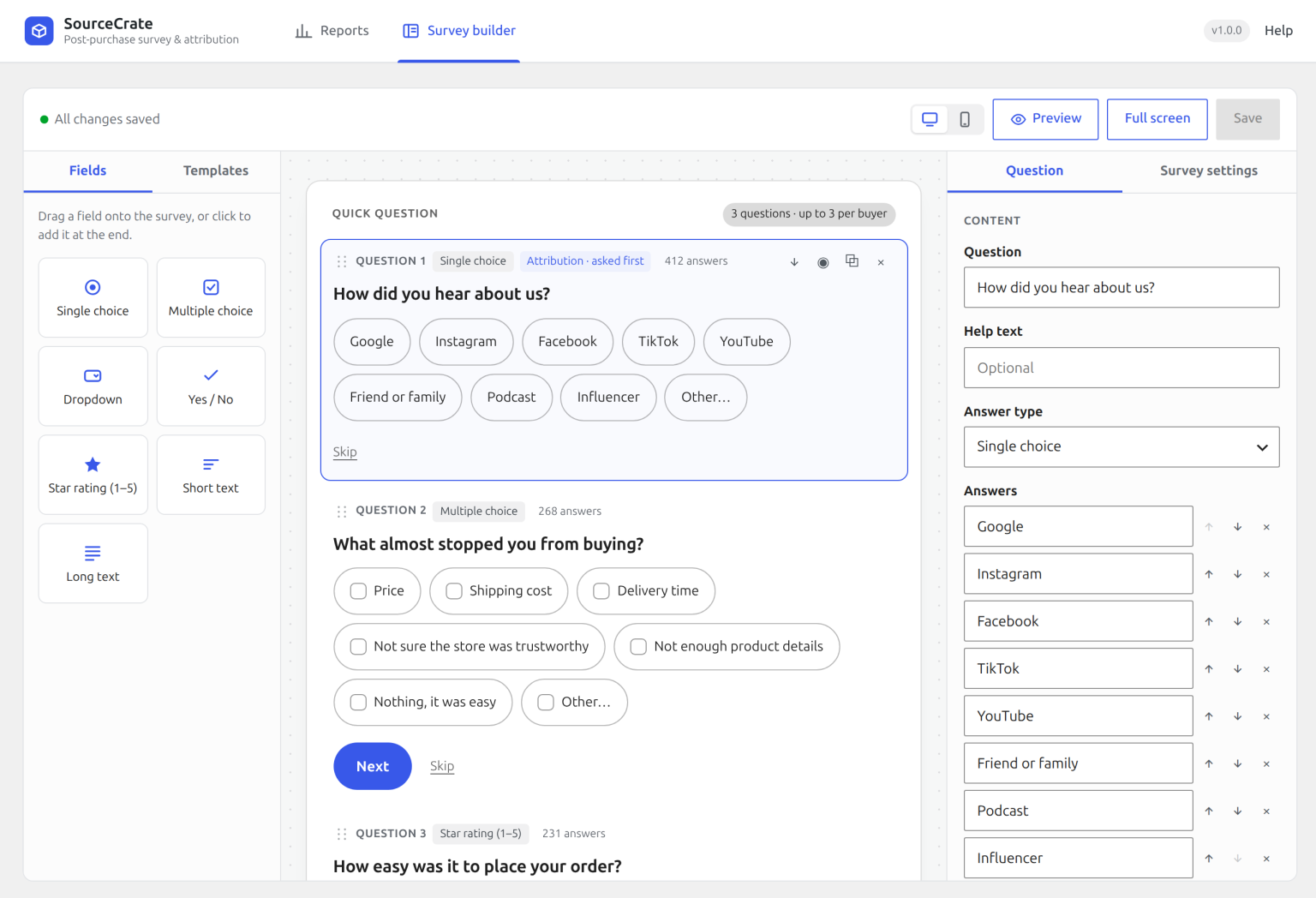
Renaming an answer keeps its history in your reports. Deleting a question keeps its past answers too.
// Who is asked
Ask the right buyers
- Buyers: all, first-time only, or returning only. A first-time buyer has no earlier paid order with the same account or email.
- Only for orders with chosen products, or products in chosen categories.
- Never for orders with chosen products or categories. Exclusions win over inclusions.
- Questions per order (in Survey settings) caps how many questions one buyer sees. “How did you hear about us?” is always asked first.
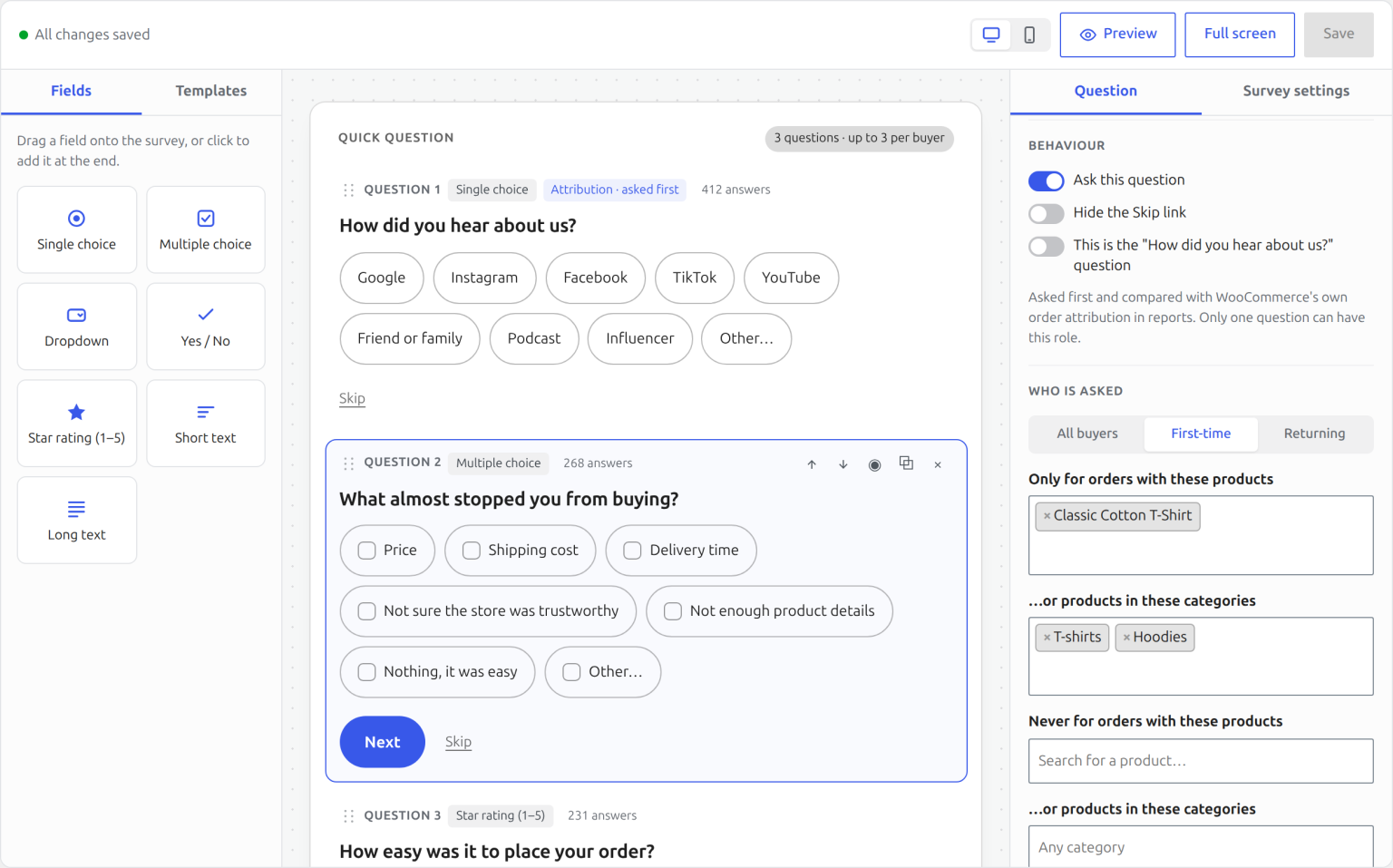
The builder’s Preview ignores targeting: it shows every question that is switched on.
// On the thank-you page
What buyers see
The card appears above the order details on the block and the classic order-received page, one question at a time. Each answer is saved the moment it is given.
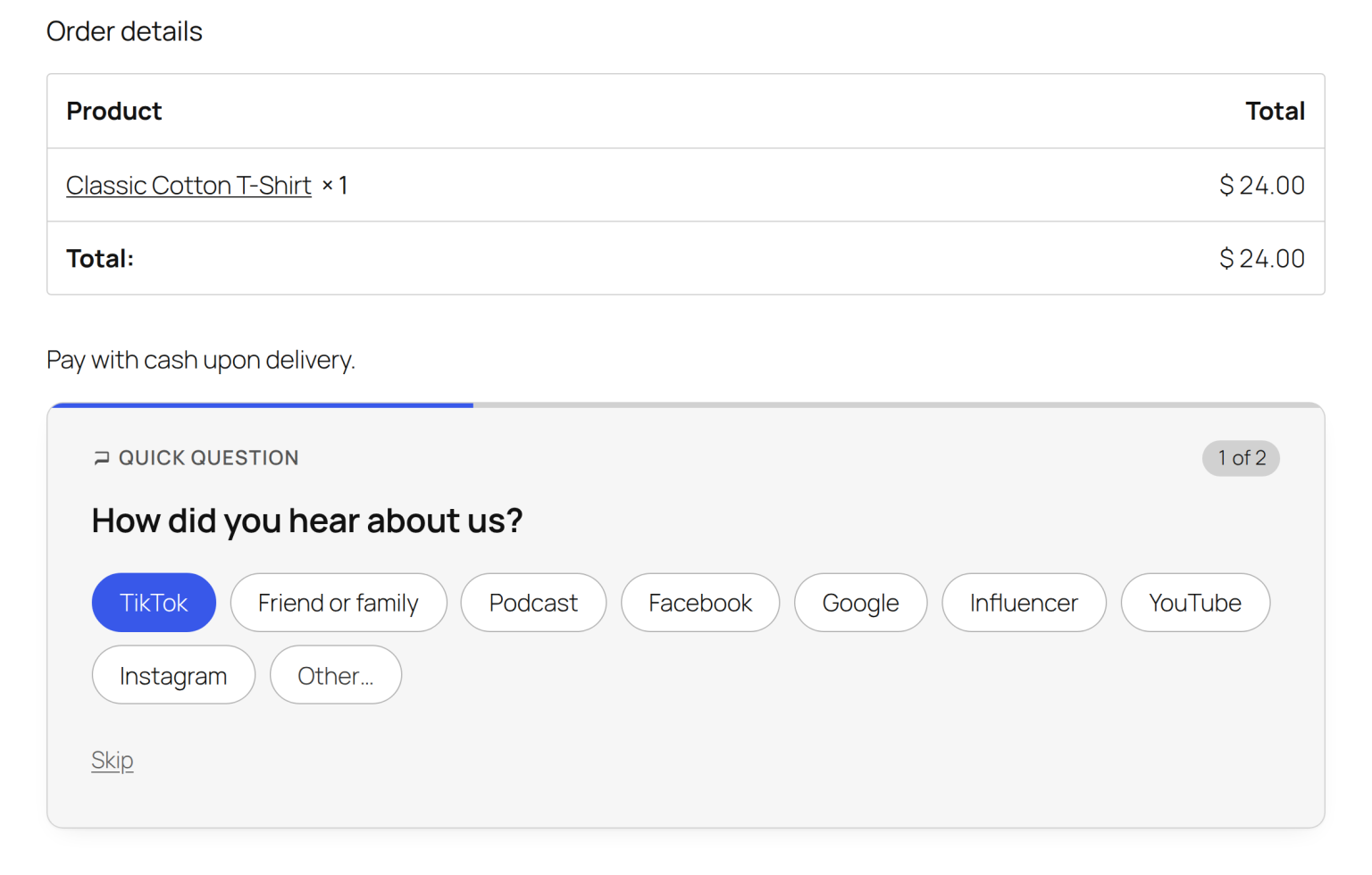
When the card does not show
- Registered customers must be logged in to see their order details, and guests see them for a short time after checkout. The survey follows the same rule.
- On block themes, the order confirmation template must keep WooCommerce’s Additional information block.
- Failed and cancelled orders, and orders more than 30 days old, are not asked.
Pending orders from PayPal and other redirect gateways do get the survey. They only count as revenue once they are paid.
// Reports
Read the report
Pick a question and a date range. Every figure uses the order date, and revenue is each order’s total minus refunds. Fully refunded and cancelled orders are left out.
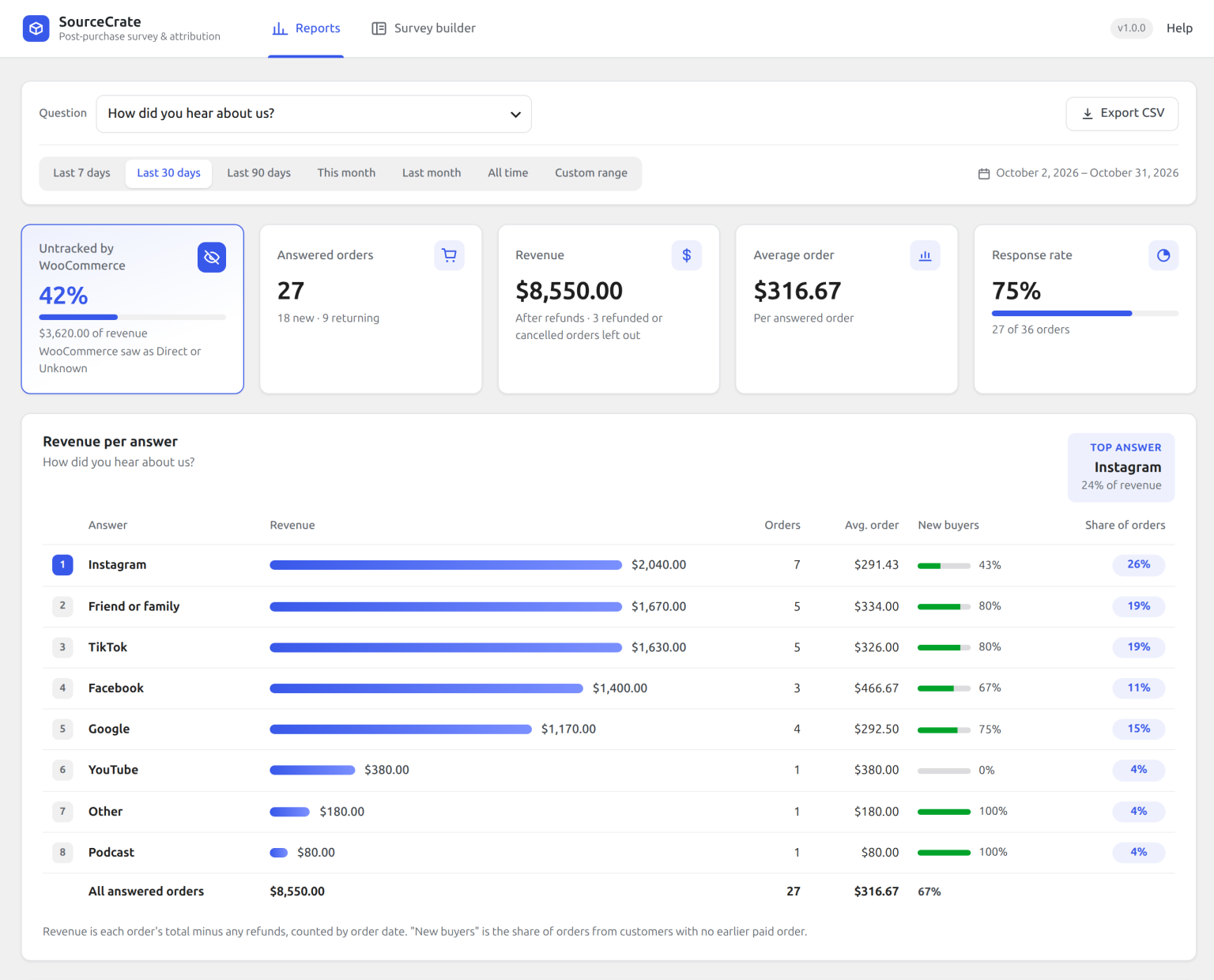
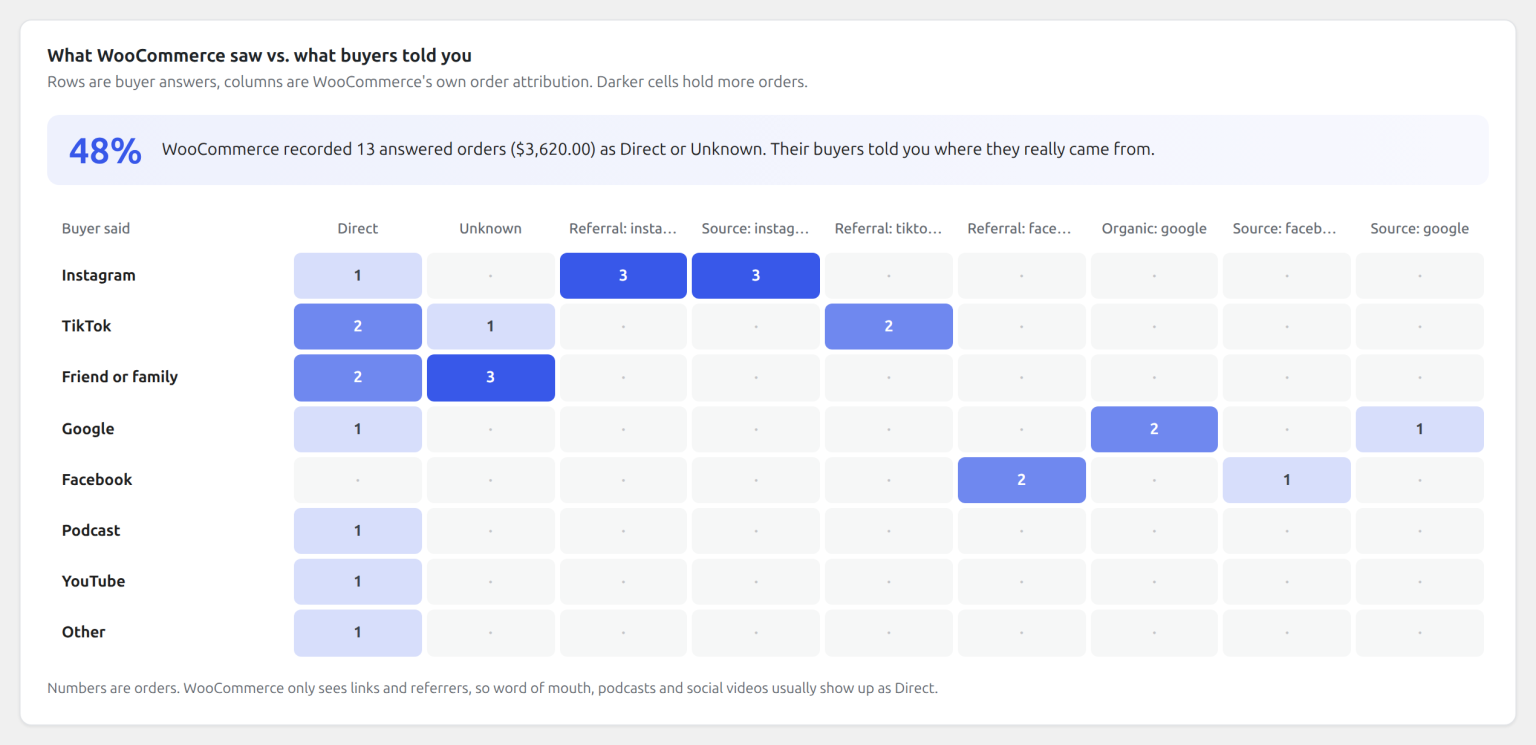
Untracked by WooCommerce is the share of revenue WooCommerce’s own attribution recorded as Direct or Unknown. It shows for the “How did you hear about us?” question.
WooCommerce vs. what buyers said
// Orders and export
On every order
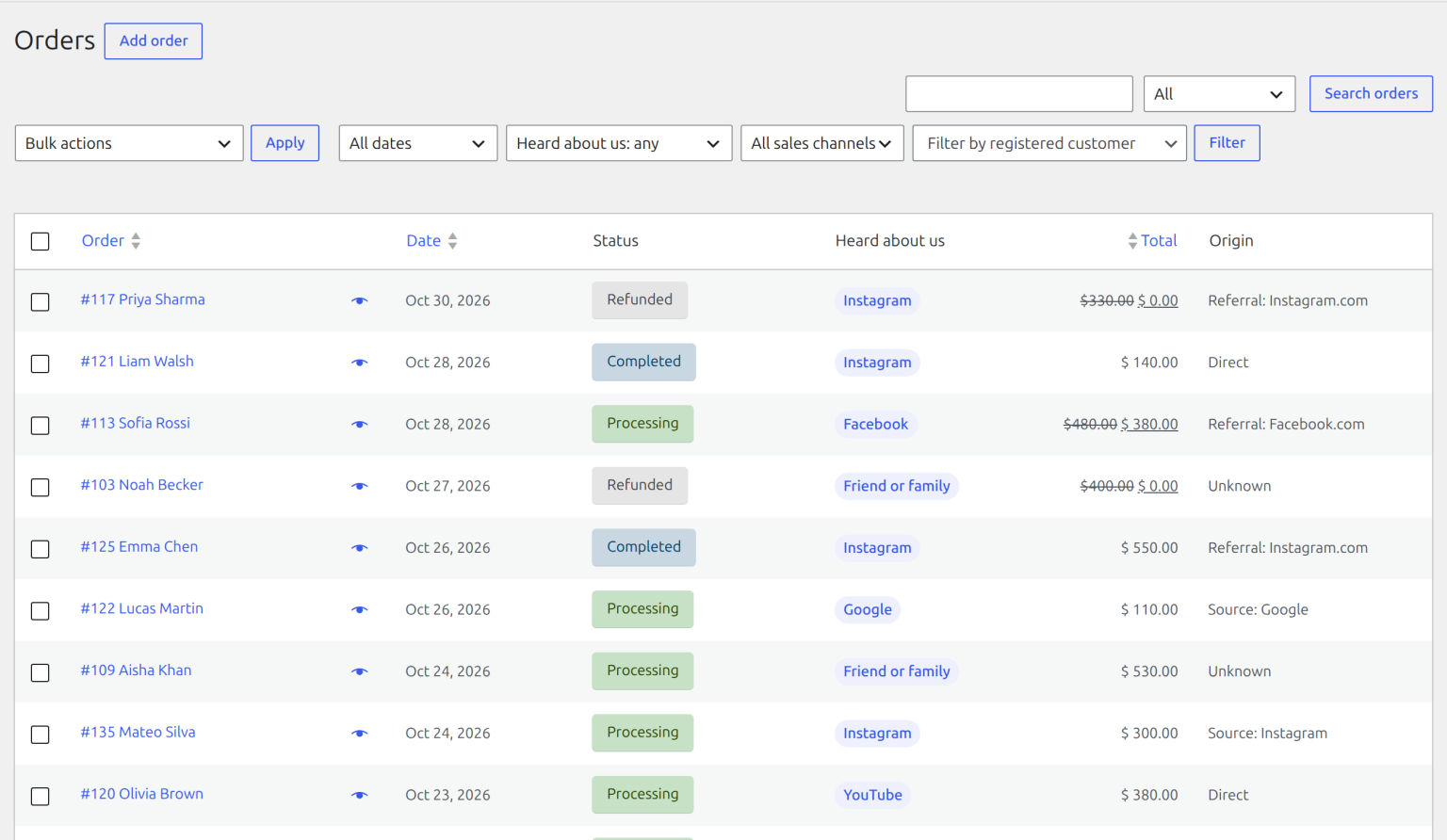
Each order shows the buyer’s answers in a Post-purchase survey box beside WooCommerce’s Order attribution. The Orders list has a “Heard about us” column and a filter, including “Did not answer”.
Export CSV on the Reports tab downloads every answer with its order, total, refunds, buyer type and WooCommerce attribution.
// Questions
Common questions
Is any data sent outside my site?
No. Answers live in your WordPress database, and nothing is sent to us or anyone else.
Can I change the colours?
Survey builder → Survey settings → Accent colour. Leave it empty to use your block theme’s button colours.
Does it work with more than one currency?
Yes. When answers span several currencies, the report shows a currency picker instead of adding them together.
How do I remove everything?
Turn on “Delete all questions and answers when the plugin is deleted” in Survey settings, then delete the plugin. By default your history is kept.
Does it support personal data requests?
Yes. It plugs into WordPress’s Export and Erase Personal Data tools, matched by the order’s billing email.
Stuck on something?
Tell us what you are trying to do and we will help.